Apple’s Journal app, which was first introduced during the WWDC 2023, has made its debut beyond iOS, now available on iPadOS and macOS. This expansion marks a significant step for Apple in the realm of digital journaling. However, with well-established competitors like Evernote, Notion, and Apple’s own Notes app, it’s essential to analyze how effectively the Journal app stacks up against these popular alternatives.
Journal App

At its core, Apple’s Journal app is built around the concept of creating collections of journals, where each journal comprises a series of pages. Users can freely write on these pages, providing a straightforward canvas for their thoughts, reflections, and daily entries. One of the standout features of the Journal app is its ability to incorporate multimedia elements; users can insert video and audio directly from their device’s camera and microphone, making it easy to capture spontaneous thoughts or experiences in a more dynamic format. This integration allows users to create richer narratives within their journals, blending text with multimedia to enhance storytelling.
However, the app does have some limitations that may put off potential users. For instance, it lacks support for markdown, a popular formatting language that many users rely on for organizing and styling their text. This absence can hinder users who prefer more control over the appearance of their notes and entries. Additionally, the fixed font size and inability to change the font style may feel restrictive, especially for those accustomed to customizing their journaling experiences in other applications. The overall design of the Journal app appears minimalistic, which can be appealing for some users looking for simplicity, but it may also lead to redundancy in functionality—particularly when compared to Apple’s own Notes app that offers a more comprehensive set of features. In essence, while the Journal app provides a modern take on digital journaling with multimedia capabilities, it lacks some essential features that users have come to expect from more established applications.
Contenders
Notes
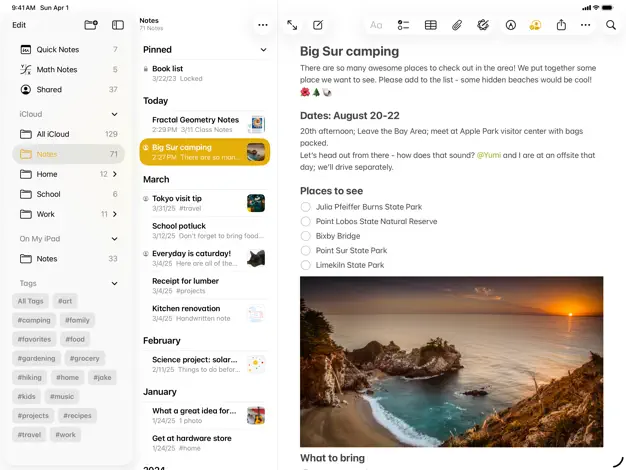
One of its primary rivals is Apple’s own Notes app, which many praise as one of the best free journaling and notes applications available. The Notes app offers a user-friendly interface and exceptional compatibility, even extending its functionality to Apple Watch users. It allows for audio notes, though it doesn’t support video insertion. Users can create nested folders, streamlining organization, and it even features quick math calculations for users in need. Those things are not even available in the Journal app. Many would argue that the Notes app serves as a better journaling tool overall, despite the Journal app’s capacity for multimedia input.
Evernote
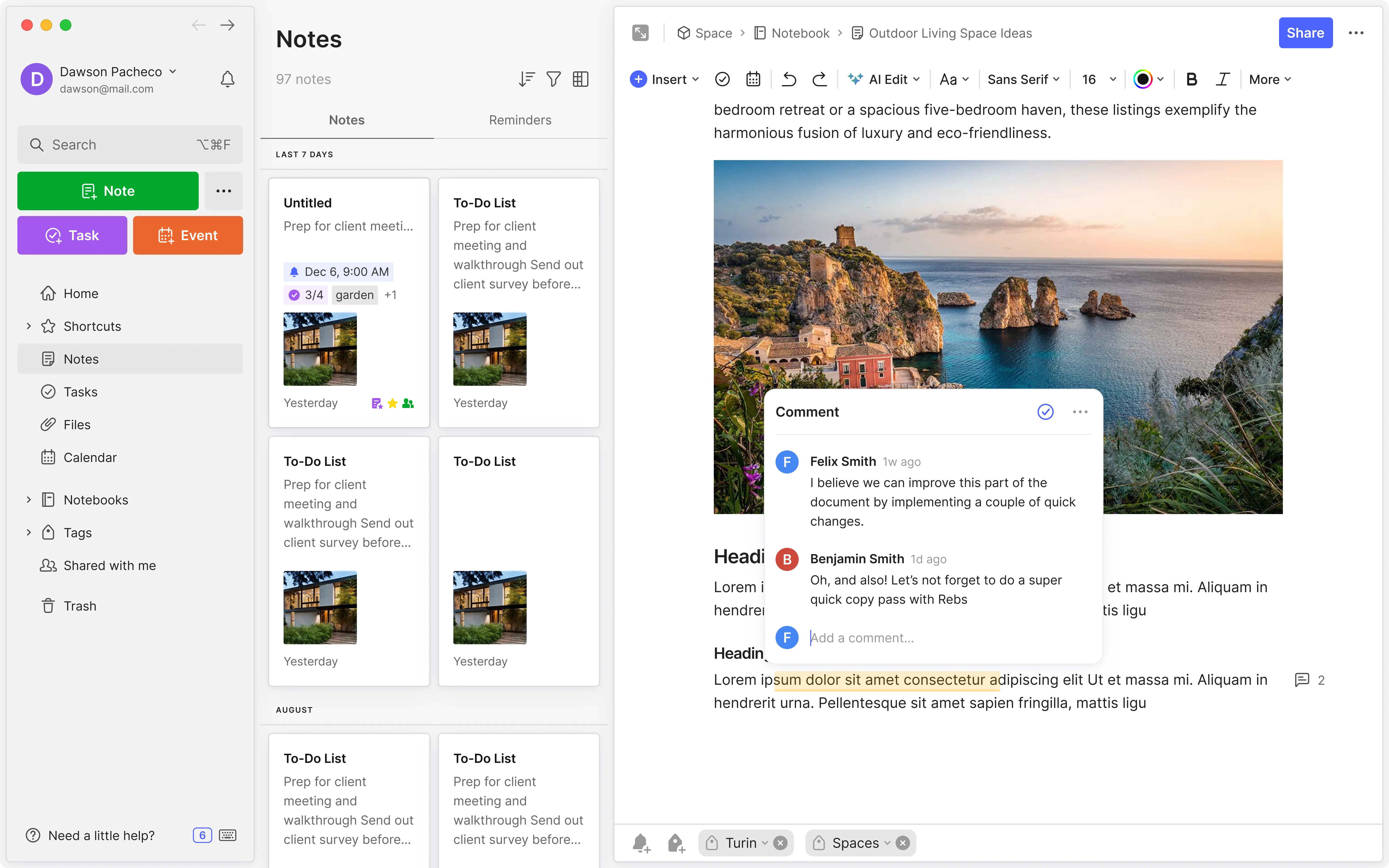
Next, there’s Evernote, the original super note-taking app that, despite its decline in popularity due to its aggressive push towards paid subscriptions, remains a formidable contender. Once the go-to for note-taking and journaling, Evernote has faced criticism, particularly for the change in direction by focusing aggressively on paid users instead of providing a service for free users. This put off their user base, which migrated to other platforms in droves.
A lot of their recent feature are copied from their competitors, which is not a bad thing. Nevertheless, it still offers a comprehensive suite of organizational tools and remains a solid option for users looking for a robust note-taking experience.
Notion
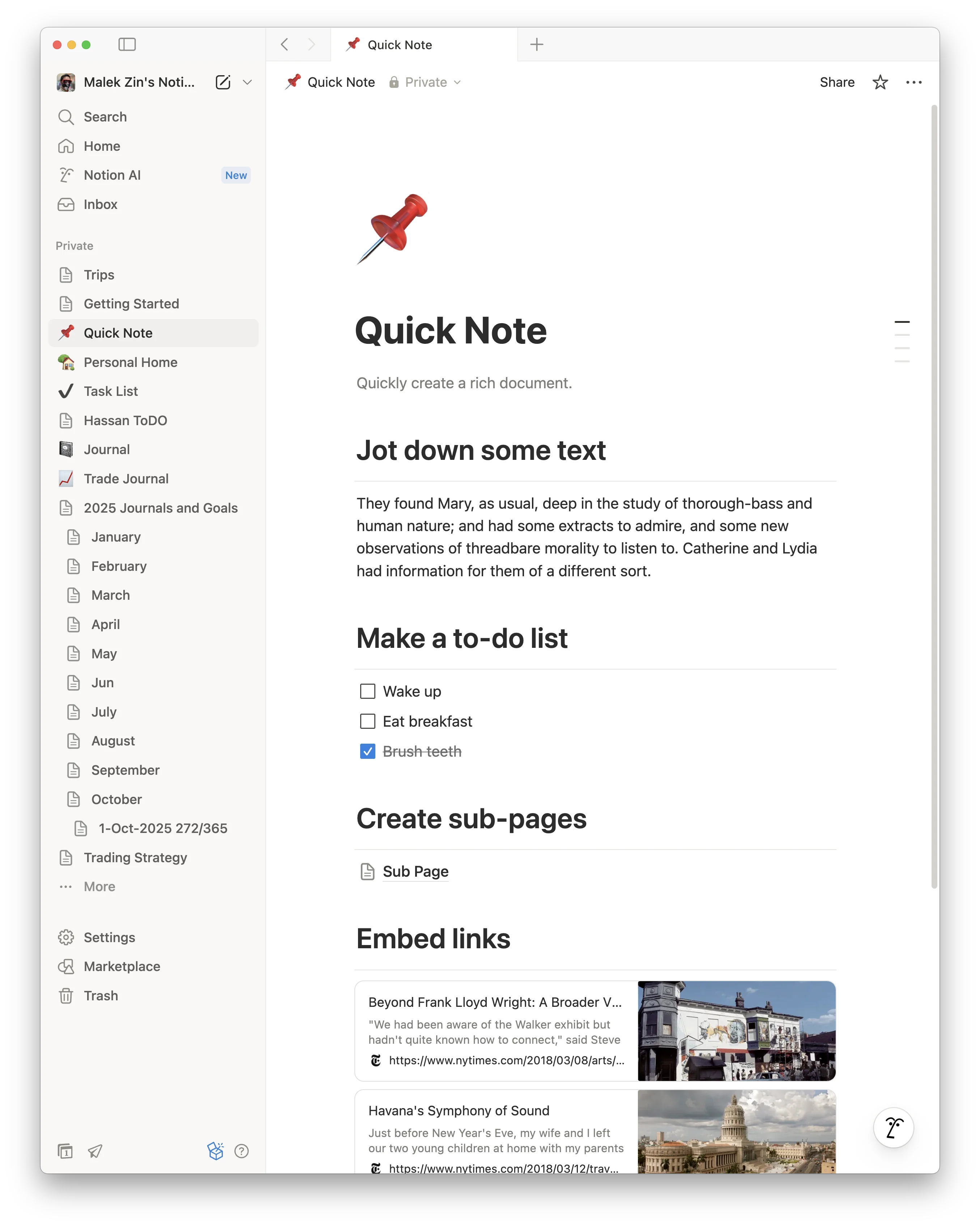
Notion stands out as arguably one of the most popular journaling applications today. As a dedicated user of Notion myself, I can attest to its versatility. Notion treats each journal entry like a gateway to a plethora of tools, such as tables and forms, and even AI-generated content. The page management system also follows a system of hyperlinks like a real website, but without the hassle of managing one.
However, a significant limitation is that users must upload audio and video files rather than recording them directly into the app, unlike Apple’s Journal. Despite this, Notion’s free version provides ample features for individual users who are focused on daily journaling. There are enterprise features that make Notion far more powerful, but it is beyond the scope of this article.
Conclusion
In conclusion, while Apple’s Journal app offers some appealing functionalities, such as the ease of adding audio and video notes directly within entries, it pales in comparison to other free offerings. The Notes app’s simplicity, Evernote’s legacy features, and Notion’s versatile organization capabilities each provide a more robust journaling experience. For users seeking the best tools for their journaling needs, the established competitors clearly have the edge over Apple’s newcomer.
Plug
Support this free website by visiting my Amazon affiliate links. Any purchase you make will give me a cut without any extra cost to you
| Base | Pro | |
|---|---|---|
| iPhones | iPhone 16 / iPhone 16 Plus - (Amazon) | iPhone 17 Pro / iPhone 17 Pro Max - (Amazon) |
| iPhone Accessories | Find them at Amazon | |
| Watch | Apple Watch SE (Amazon) / Apple Watch Series 11 | Apple Watch Ultra 3 (Amazon) |
| AirPods | AirPods 4 (Amazon) | AirPods Pro 3 (Amazon) / AirPods Max (Amazon) |
| iPad | iPad 10 (Amazon) / iPad Mini (Amazon) | iPad Air M3 (Amazon) / iPad Pro M5 (Amazon) |
| Laptops | MacBook Air M3 (Amazon) | MacBook Pro M5 (Amazon) / MacBook Pro M4 Pro/ M4 Max (Amazon) |
| Desktop | Mac Mini M4 / M4 Pro (Amazon) / iMac M4 (Amazon) | Mac Studio / Mac Pro |
| Displays | Studio Display (Amazon) | Pro Display XDR (Amazon) |
Other Ecosystem Items